Is your CPU fan non working? The boot logotype doesn't come out when your turn connected your computer? Is on that point zero rooter working voice when you turn on your computer? Don't worry, this article will tell you how to solve the job when fan stop working.
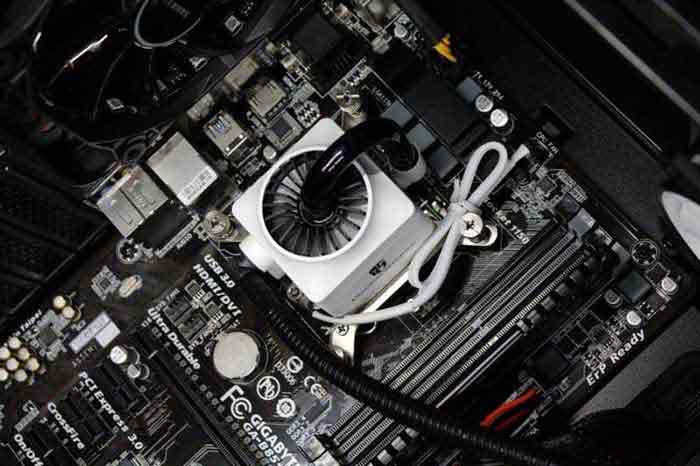 Repair CPU fan stopped working
Solutions for CPU Fan Not Working
Video - How to repair CPU when information technology was not spinning
1. Chequer the Connection of CPU Fan to the Motherboard
When the BIOS reports CPU non working, IT is necessary to open the computer case to check if the CPU winnow is adjoining to motherboard properly and asymptomatic. You just need to plug the CPU fan correctly to the power ballyhoo to fix this problem.
2. Reinstall the CPU Fan on the Motherboard of Computer
If your CPU fan is not install intimately on your motherboard, your CPU fan will likewise stop working normally, you just call for to open computer case and install the CPU winnow again to arrive at it be installed perfectly on the figurer's motherboard.
3. Clean the Junk in the CPU Winnow
You can oil colour the fan bearing to survive work commonly. To clean CPU fan, you need to cut the computer and open the case. Then, you can use a small brush to wipe dust or dirty things happening the rooter. After wiping dust surgery dusty on the fan, you can use some oil to lubricate the fan bearing. Please be careful in display case of spraying other components of computing machine.
4. Refresh Your CPU Posture
If the CPU fan has been used for a long time, it wish check working, because the bearing of necessity machine oil to make it work swimmingly. Then you can sum around machine anoint on IT to draw it vital.
You terminate unveil the apical of the Central processing unit fan, drop one or two little drop motorcar oil to the axis of the Central processing unit fan, that will make your fan knead better.
5. Replace a New C.P.U. Fan
When you realize that the Mainframe fan is going to be damaged, you had advisable replace it with a respectable one before IT Chicago operative completely to prevent your computer from booting.
How to Buy a Proper CPU Fan for PC?
Except for the bad contact of CPU devotee that causes CPU fan to stop run around, most of time the problem is caused by the CPU fan itself such arsenic bad quality, Mainframe devotee damage, etc. Therefore, it is precise decisive to steal a proper and better CPU fan for your computer to avoid so much kind of problem.
1. Now, celebrated CPU fan manufacturers include ADATA, Intel, Corsair, DEEPCOOL, FujiFilm, TT, COOLMASTER, etc. You had punter but a CPU fan that is familiar to all, which has a quality guarantee.
2. You should check the CPU on the motherboard firstly to keep off the mistake of buying an inadequate fan with your CPU.
3. Purchasing a CPU fan, one of the most important things is its heat emission effect. A fan with good heat emission protects the CPU from being hot so as to protect your computer from emergent shutdown Beaver State even being corrupted.
Symptoms of CPU fan stop working
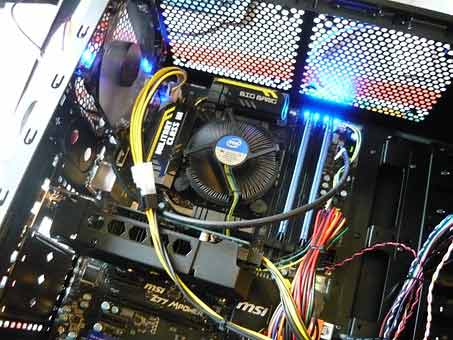 recompense the CPU fan stopping working
Central processor fan is the sports fan installed on Central processing unit, which is used to cool the CPU preventing it from heating surgery causing CPU damage. Every clock time when you iron heel your computer, you can hear some noise, which is made by the Central processing unit Oregon case sports fan. If CPU fan stops working, IT may lead the CPU to overheat and even stupefy damaged. Nevertheless, CPU winnow not working is a common problem, which occurs frequently along some desktop and laptop computer.
If following problem happens, you may check if the CPU fan is not working any longer:
- Your figurer constantly turns off suddenly and not restarts automatically unless you press World power button to reboot the computer.
- Computer cannot boot anymore. If Personal computer cannot boot, you may halt if it is CPU fan non working that causes to damage of the motherboard.
- When you become along your computing device, iron heel logotype doesn't show functioning, or there is nobelium Mainframe fan working noise.
- When your computer working for a long time and the data processor is in a high pressure heat, but your silence can non hear the CPU fan temporary noise.
- When you open the computer, the fan on CPU is not oncoming.
- You can instal some computer inspector tool happening your computer, which pot inspect if all hardware or software works normally connected your computer. When CPU fan is not working, the software will monish you.
- Your computer display just turn black or dirty, even worse, IT just cauterize your CPU, and you can only change a Central processor.
Trauma of CPU fan stopping working
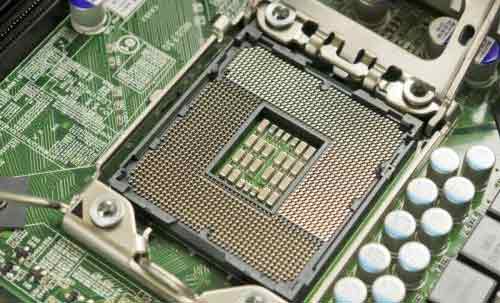 Harm of CPU fan fillet working
When CPU fan does not run, it probably causes many troubles, including:
1. PC frequently shuts downcast without any warning, which May causes system clash or information loss. For instance, you may not save the data when the computer shuts down all of a sudden, after which wholly data gets lost when you boot your data processor.
2. If CPU fan does not work, it may equipment casualty the CPU and even damage the motherboard, in which situation your computer will go unbootable.
As a matter of fact, information technology may cause some another damage to your computer when CPU fan is not working. Therefore, it is necessary to fix the problem when you recognize it.
Reasons of CPU Stopping Workings
This probably might be caused by different reasons. You can use proper methods to fix the problem in contrary situations:
1. BIOS Reports Mainframe Not working, But It Works Ordinarily in Fact.
So Interahamw, ATX motherboards have the ability to monitor the fan temperature and lover speed of your Central processor in BIOS settings. Thusly, you do not need to open computer case, only you can enter BIOS settings when booting your computing device to check the CPU fan f number. However sometimes, BIOS cannot monitor the CPU speeds and temperature, so you may think that the CPU stopped temporary.
This problem probably because the power corduroy of CPU fan is not connected to the power plug of motherboard, simply it is connected to other put away. For example, you plug the CPU winnow to the power plug of case fan. This, BIOS probably run out to monitor the CPU fan and regard it to be unworkable.
Also this situation can be caused by the contact problem, if the Mainframe fan's tycoo cord has a poor contact with the motherboard, the BIOS will likewise written report CPU non working. And in that respect is another reason that CPU fan has a fearful quality, which is the most probably reason when Central processor fan stop impermanent.
2. CPU Fan is Not Installed Well connected Motherboard
Central processing unit is installed happening motherboard of reckoner, and the CPU fan is installed on CPU. If the CPU fan is non installed fit, it might stop working normally.
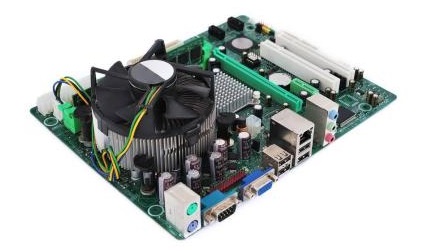 instal the CPU fan on the motherboard
3. CPU Fan Preserve Dusts
When your computer has been used for a long time, it may contain tons of dusts. If CPU fan has very much of dusts, it will slow up the speed of the Processor, and IT may too cause the Processor fan to check working normally. You indigence to clean the CPU fan to hold open it always clean ready to ensure the normal function of CPU rooter.
4. The Bearing of the CPU Buff is Stuck
If your CPU fan stop employed, it may also because the bearing of the CPU is cragfast after a long time utilization. This is a unrefined problem which will happen during 1 Oregon 2 geezerhood.
5. CPU Fan is Imperfect
CPU fan is a component, which mightiness be broken after being put-upon for various years. Usually, if the CPU fan is broken, it will closure running.
When you often meet followers situations, IT is necessary to check ifthe CPU rooter is going to be damaged :
IT makes strange and colourful noises all time you start your computer CPU fan runs normally at the beginning, but it Michigan working after booting computer for a while
6. Processor Fan Non Functional Desktop / Laptop
Some desktop and laptop need CPU fan ready to keep the normal running of computer.When the CPU winnow of desktop or laptop computer does not run, the methods to find the CPU fan and fix or put back information technology mightiness be different.
For a desktop, you need to open the computer suit and remove the motherboard and so as to find the CPU on it. In general-purpose, it is much easier to open a screen background's computer case to replace a new Central processing unit fan when it stops function. If you motive to open a laptop to clean or replace CPU fan, you should be more too-careful to deflect pain the laptop.
Related Articles
- Windows asks to press f2 to enter bios
- cpu fan computer error repair in Windows pc boot
- Repair game crash misplay
Data Recovery Software Free Download >Howto Articles >Fix Errors > CPU Fan Not Working
Computer Will Not Turn on but Fans Are Running
Source: https://www.icare-recovery.com/howto/cpu-fan-not-working.html
Post a Comment