Wordpress Wants To Download A File Instead Of Loading
WordPress is an splendid platform for blogging or hosting a website. However, it has evolved into much more than that. It'due south a powerful content management system that powers over 37% of the web, and thanks to a few WordPress download manager plugins, information technology tin can handle a diverseness of different file download needs.
The native WordPress user interface does have the ability to manage file downloads, although this is not the easiest nor most efficient manner to manage files. Plus, the native function doesn't have one-half the features of many of the new and pop WordPress download director plugins now available to help you handle files.
In this post, we'll take a look at the all-time download manager plugins to help you enhance WordPress' built-in file management features.
Gear up? Allow'south go!
WordPress Download Manager Plugins Index
Depending on your specific goals and needs, in that location are a diversity of both gratis and premium WordPress plugins that can handle any file download direction needs.
ane. WordPress Download Director (costless)
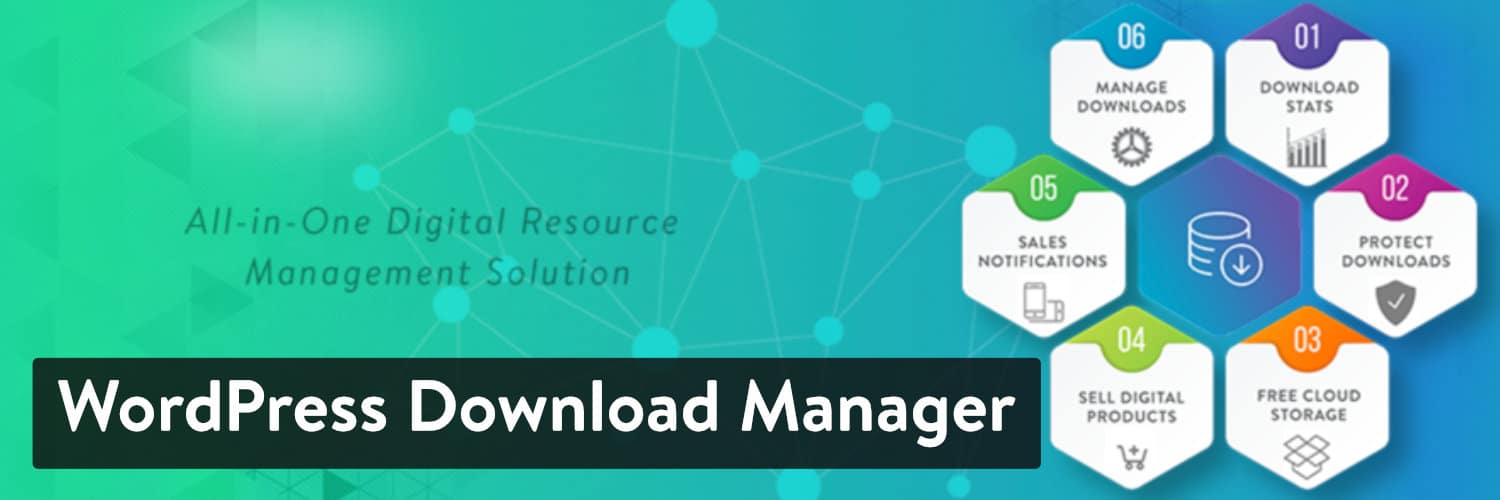
The gratis version of WordPress Download Manager includes password protection, limited viewing, and multiple domain support. The countersign protection package allows users to protect a full parcel of files or each specific file in a package past using passwords. It's a simple, easy-to-use download manager. It is as well ane of the most actively updated WordPress download director plugins.
The WordPress Download Manager plugin has both free and paid versions. The premium solution adds value by incorporating more features and giving you amend customer support. It starts at $59 but goes up for developers who need more licenses.
There are also dozens of add-ons to consider. These come in handy if you're planning on expanding on the core plugin. You can also pick and cull the features you'd similar to utilize instead of going for the entire premium package. For example, some of the addons include download limits, linked products, and individual messaging. Some of the addons are free, only others are anywhere from $49 to $100.
Top Features for This WordPress Download Manager
- The WordPress Download Manager plugin is built and so that calculation a download is the aforementioned as making a new WordPress post.
- The plugin has a drag and drib upload module for you to instantly grab items from your reckoner and drop them into your website file manager.
- You have some options for overriding the uploading maximums imposed by WordPress.
- All files uploading to the WordPress Download Managing director plugin are protected.
- Connect the plugin to a wide range of tertiary-party storage systems such as Google Bulldoze and Dropbox.
- Change around the controls so that some users are able to meet and download files while others are restricted.
- You're given settings for irresolute the link icons for Download buttons.
- Place download modules all over your website with the assistance of shortcodes and widgets.
- The file manager supports several file types including MP4 videos.
- You gain access to a digital asset manager to visually create and edit files. This includes support for previewing video and sound.
- Quite a few addons are sold for you to upgrade to unlike features.
- The plugin has premium options for creating a digital storefront, with tools for PayPal integration, unmarried click sales, and coupon management.
- You accept admission to mobile apps to see notifications almost when users download and install your files.
- Free themes are provided for launching a blog or website that sells or hosts online files.
Reviews
4.one out of 5 stars (WordPress.org)
Active installations
100,000+
PHP version
Not listed
2. Advanced File Director (free)
The Advanced File Manager plugin eliminates the need for FTP and cPanel piece of work, providing a user-friendly and powerful solution for editing and adding your ain site files. The root directory path is fully editable. In addition, the plugin lets yous add a shortcode to your site for giving access to some users for full file management capabilities.
Files are attainable through the root directory and other files throughout your site. You can consummate many actions such every bit uploading, creating files, renaming, and archiving. PDF previews are also available so that you lot don't accept to open all of the files individually.
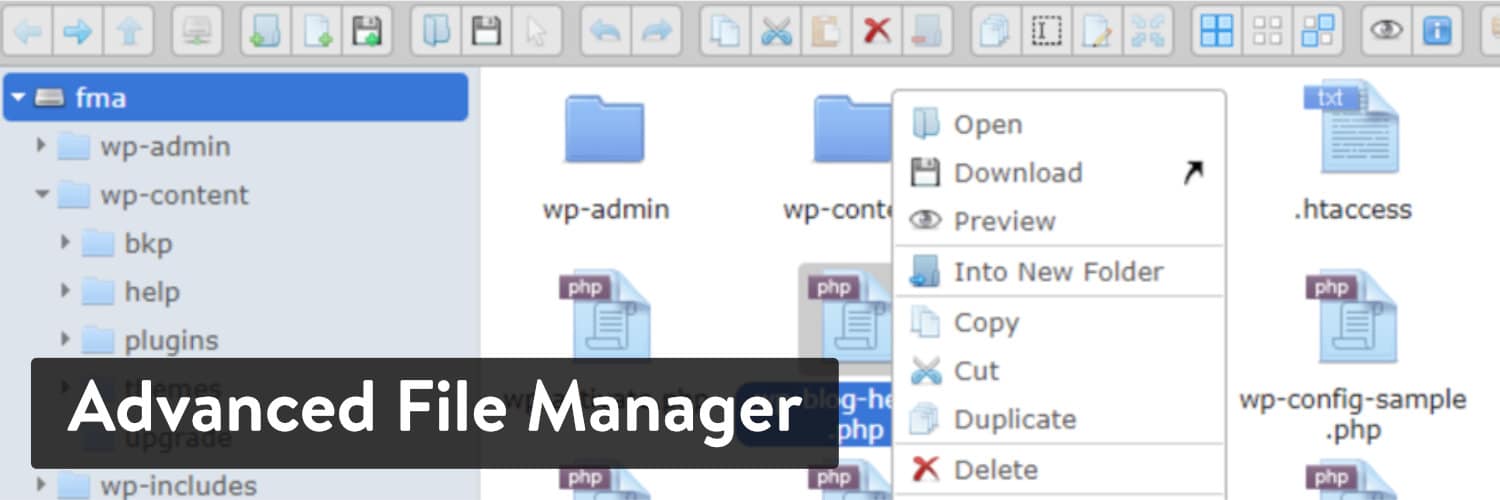
The calorie-free and elegant user interface comes in handy for beginners, and the video and sound previews help out for rapidly checking files in your directory. The file search functionality as well plays a huge function in speeding upwards your productivity. From keyboard shortcuts to multiselection tools, the Advanced File Director plugin has a solid infrastructure for those who desire an efficient way to take care of file movements, uploads, and deletions.
Top features for this WordPress download manager
- An advanced file manager shortcode is provided for giving access to logged-in users of your choice.
- The shortcode likewise offers user role restrictions, individual folder paths, and themes.
- Y'all tin upload your files directly to whatsoever folder in the directory.
- Browsing history is stored for you lot to wait back on what was done earlier.
- The file director works on all mobile devices.
- Thumbnails and previews are shown for all files then that you know what is being stored.
- This is a high-performance plugin that doesn't lag or weigh down your website.
- The plugin provides a file searching module for locating items within seconds.
- You can calculate file directory sizes with the click of a button.
- Epitome editing can be done from the plugin.
- You lot tin can move any files to the trash.
- All of the root directory files are fully editable.
- The plugin mimics and replaces the functionality of an FTP connection.
Reviews
4.8 out of 5 stars (WordPress.org)
Active installations
30,000+
PHP version
five.0.0 or higher
3. Shared Files for WordPress (Costless and Premium)
Shared Files for WordPress is a free plugin for listing and managing files on a WordPress site. All files shared on your site can be downloaded and used by anyone you give access to. It works by adding files to your WordPress admin, then placing a shortcode somewhere on your site for people to download that file.
What'south more, is that you lot can organize your files that people are going to download. Create a listing or group files into categories to brand things easier for users. The premium version sells for $nineteen.99, and it offers additional features such as bandwidth usage limits, file sorting, and layout options.
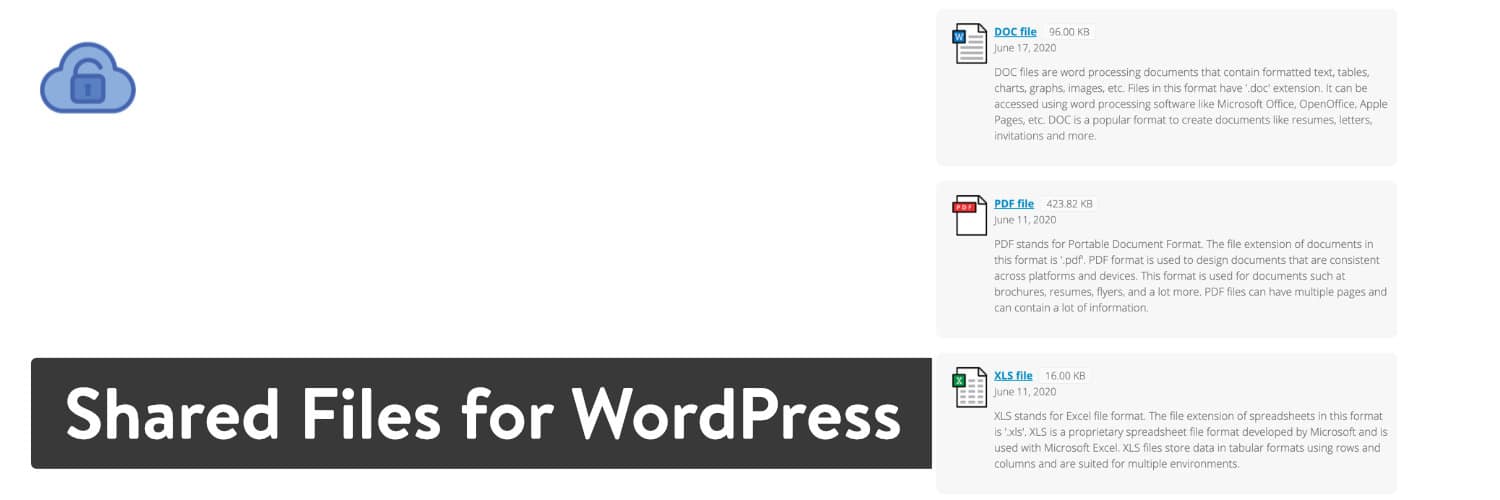
It's also worth mentioning that the premium plugin gives yous priority client back up and password protection. This manner, yous always know your files are safe, and you take someone to talk to if something doesn't seem right.
Overall, the plugin provides a clean and elementary interface for all users, and nigh of the settings are configured correct out of the box, significant that you typically don't take to change anything for it to first working.
Peak Features for This WordPress Download Manager
- Upload files like spreadsheets and PDFs to your WordPress admin.
- Organize these files so that users can locate the ones they would like to download.
- The plugin offers a shortcode for you to place a Download button somewhere on your site.
- All shared files are logged on the backend of your WordPress site, allowing y'all to easily manage them.
- The default settings will do the fob for the bulk of plugin users.
- The plugin lets you list all of your downloads on any WordPress site page.
- You can share files from third-party storage sources like Google Drive and Dropbox.
- You lot have the pick to include an individual file on a WordPress postal service. This is done with a shortcode.
- Notifications are sent to the admin when a file is downloaded.
- The plugin tracks the number of downloads for you to see which ones are performing the best.
- The Pro version incorporates several other advanced features similar file sorting and file loading counters.
- At that place's an option for a search bar for finding specific names and descriptions.
- The plugin estimates when you become close to your bandwidth limits.
- The Pro version of the plugin has tools for password protecting files earlier people download them.
- You lot can also set expiration dates.
- Limit the number of times users can download each file.
Reviews
5 out of v stars (WordPress.org)
Agile installations
100+
PHP version
Not listed
4. File Manager (Costless + Premium)
File Managing director is an efficient, flexible, and versatile integrated platform that can help simplify your workflow past enabling features like editing, deleting, copying, pasting, uploading, downloading, and zipping versions of your files and folders directly from the WordPress backend.
This plugin volition save you lot time so you no longer take to fuss with SFTP.
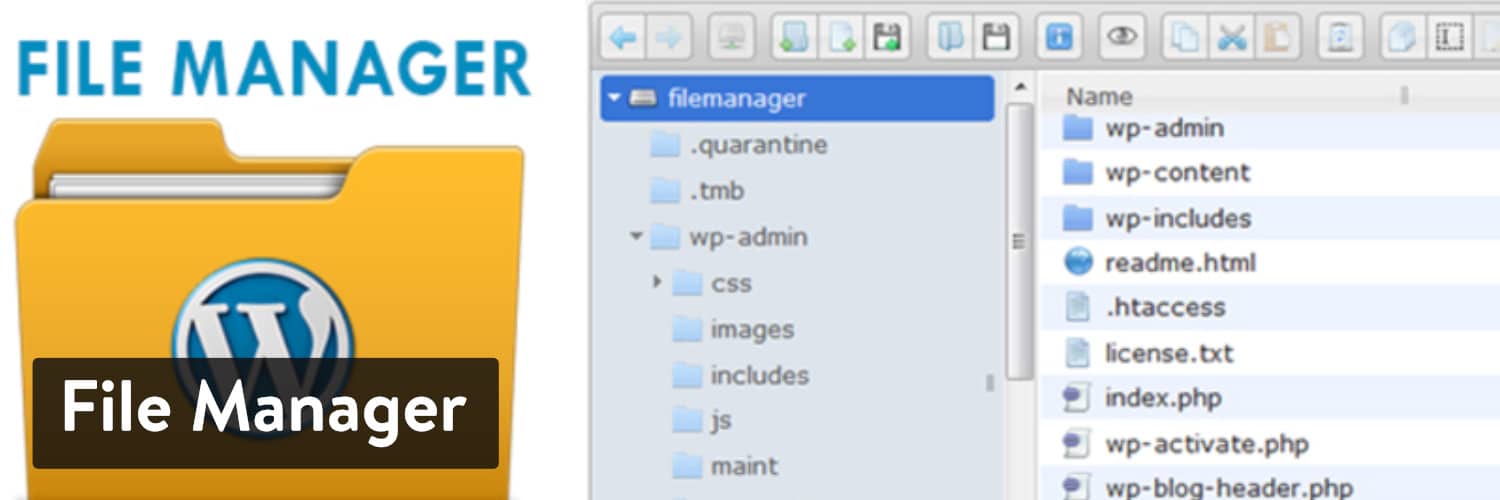
File Director WordPress plugin has a core version that's completely free. You lot can as well opt to upgrade to the premium version for $25. This opens upwards all sorts of features for user permissions, max file upload sizes, and shortcode generating.
What's neat about this plugin is that the gratis version is ideal for most businesses, seeing as how it allows for archives, file moving, and copying. There's even a code editor and syntax checker for those interested in working with more than advanced tools. Along with PDF previews and automatic file resizing, the File Director plugin does the play tricks for a rather low cost.
Superlative Features for This WordPress Download Managing director
- The plugin has a shortcode for not-logged-in users so you tin let public visitors download files from your site.
- Diverse operations can be performed with files and folders on a remote server.
- The admin tin can create, annal, and extract files (naught, rar, tar, gzip).
- The plugin includes a multi-files section. Admins can copy/move files by simply dragging or dropping.
- Control what types of files tin be uploaded or downloaded.
- Lawmaking reviews earlier saving files ensuring your site will non become down while updating lawmaking.
- Deleted files tin be moved to trash.
- Access files inside and exterior of WordPress by editing the root path directory.
- It is like shooting fish in a barrel to preview mutual file types, including media. (video, audio, mp3, PDF, thumbnails, etc.)
- If you are looking for an culling to SFTP or cPanel, this can work.
- The plugin allows you to backup and restore items like theme files and media elements.
- You can upload directly to the media library.
- A elevate and drop upload functionality is provided.
- Several keyboard shortcuts come along with the plugin. These make it easy for locating files, completing quick tasks, and speeding upwards your workflow.
- You accept the option to calculate the size of your directories.
- Your entire browsing history is available to check dorsum on what has been done in the past.
Reviews
4.8 out of five stars (WordPress.org)
Active installations
600,000+
PHP version
5.2.4 or higher
v. Download Monitor
Download Monitor is an easy-to-utilize digital download managing director plugin for WordPress intended to aid you grow your audience, rail download performance, and catechumen traffic into sales.
Download Monitor is a freely bachelor plugin that works great with all WordPress themes and gives you everything you lot need to start selling and distributing digital files on your WordPress site.

Plus, Download Monitor comes with advanced written report functionality. With it, you can view your downloads over any menstruation, run across in an instant your top downloads (including your store's most pop download), clarify your daily average download count, and more.
Y'all can unlock all of the features below and more than past purchasing all of its premium extensions as part of the Complete packet for a keen discounted price.
Height Features for This WordPress Download Manager
- Sell and distribute your digital files in a few easy steps.
- Easy uploading, categorizing, tagging, and managing of all types of digital files (PDFs, software packages, sound tracks, video files, digital art, etc) forth with their versions.
- Add together multiple file versions to your downloads, each with its own data set — like download count and file links.
- Automated download file tracking — you won't have to bother creating events in Google Analytics to rails the number of downloads of your various files and their diverse versions.
- Supports PayPal and other payment gateways (coming presently).
- Host your files on Google Drive or Amazon S3, so you can even serve automatically expiring links and benefit from a blazing-fast file delivery network.
- Export and Import all your downloads, including categories, tags, and file versions, to a CSV file with a unmarried click.
- Content locking extensions such as pay with a tweet, make full in a form before beingness able to download a file, email locking, and so much more.
- Create cute, customizable download experiences.
- Requires users to complete a Google reCAPTCHA earlier they tin download your files to end bots from signing upward to your e-mail-locked downloads and gaining access to protected files.
- It's Gutenberg-prepare, so you can add downloads from anywhere using the new block editor.
Reviews
4.4 out of 5 stars (WordPress.org)
Agile installations
100,000+
PHP version
v.6 or higher
6. Like shooting fish in a barrel Digital Downloads (Free)

Piece of cake Digital Downloads is primarily an ecommerce solution for whatsoever type of digital download, just it can too manage multiple file downloads per downloaded product.
This makes it a neat selection if yous have different prices for products or take bundled products. It comes with PayPal and Manual Payments every bit the default payment options, just others can be added for a fee. If you want to larn more nearly Piece of cake Digital Downloads here is the comprehensive guide.
The core plugin integrates tools into WordPress for selling digital items to anyone who decides to come to your site. In curt, you can upload these files to your site, listing them equally an ecommerce product, then automatically ship out download links in emails equally people decide to purchase. You're able to upload a broad variety of file types such as software, documents, and graphics.
Payment gateways integrate with the plugin, with support for PayPal Standard and Amazon Payments right out of the box. The complimentary version is just plenty to first selling your digital goods and organizing them so that people can find the right files.
Subsequently that, you lot must either upgrade to the premium version or opt for ane of the many paid addons. For instance, the majority of the payment gateways require a premium extension.
Superlative Features for This WordPress Download Manager
- Piece of cake Digital Downloads (EDD) provides file management and download functionality for dozens of file types like graphics, songs, and ebooks.
- Localization is offered for translating the plugin into other languages besides English.
- Payment gateways are provided either through the core plugin or by upgrading with one of the extensions.
- Block some of your users from downloading items.
- Offering an unlimited number of file downloads for your products.
- Customers can create their own account pages to wait dorsum on downloads and take hold of items they've purchased in the by.
- Rail all download action through the admin dashboard.
- Use the REST API to integrate with external applications.
- The plugin offers full reporting data to empathise how well your downloads are selling and to link up with a bookkeeping app.
- Yous can integrate EDD with a huge collection of other apps like MailChimp, Stripe, and Zapier.
- List all of your file uploads on product pages.
- The full shopping cart is a great solution for quickly processing payment and giving download links to your customers.
- Automation is a big part of the EDD interface, seeing every bit how emails are sent to yous and customers when purchases and downloads are fabricated.
- The premium subscriptions offer advanced tools like email marketing features and the ability to sell download subscriptions.
- EDD has a library of extensions for areas similar accounting, analytics, and gateways.
Reviews
4.vii out of 5 stars (WordPress.org)
Agile installations
60,000+
PHP version
five.3 or college
7. WooCommerce (Free)
WooCommerce is a free ecommerce plugin that allows you to sell anything through your WordPress site. Built to integrate seamlessly with WordPress, WooCommerce is 1 of the globe's favorite ecommerce solutions that gives both store owners and developers complete control.
Brand sure to check out our in-depth WooCommerce tutorial.
How does information technology serve every bit a download manager plugin? It'southward similar to Easy Digital Downloads, where you're able to upload all of your digital files and organize them for selling online. There's no reason to consider WooCommerce if you have no intention of selling the items.
WooCommerce serves equally both a file manager and an ecommerce platform. Therefore, it makes the most sense if you need the functionality for both of those.
Every bit for the file download management, WooCommerce includes support for digital appurtenances, similar for when y'all'd similar to sell your ebook or music tracks. The plugin supports about major file types, then it typically depends on what yous can upload to WordPress. After that, WooCommerce gives you options to provide instant downloads to customers and ship out emails with download links.
Link this to your payment gateways, and find a good WooCommerce theme, and you'll be all set up for organizing and selling your digital files.
Top Features for This WordPress Download Manager
- WooCommerce functions as a download manager and total ecommerce store and shopping cart.
- The plugin features a setting for uploading digital products and marking them as downloadable.
- You lot tin instantly identify these files on your website as nicely formatted production pages.
- The central dashboard provides fundamental metrics such as downloads for your products.
- Choose to have instant downloads for shoppers, and consider giving away your files for complimentary. Yous can too list them for a price and connect the plugin to payment gateways.
- Two payment gateways are already included for free. Dozens of other ones are provided as extensions.
- You tin set user restrictions for all of your downloads, either cutting back on the number of downloads per item or blocking some users completely.
- There are very few limits on the types of files you can upload, and offer for download, on your website. For example, many stores sell PDFs, MP3s, or WAV files.
- WooCommerce offers the unique ability to organize your digital downloads as eCommerce collections. Highlight these on your homepage and organize them and so that customers can find them easily.
Reviews
4.six out of v stars (WordPress.org)
Active installations
5+ meg
PHP version
vii.0 or higher
viii. Multiverso (Premium)
Multiverso does the trick for frontend file direction and encrypted downloads. It's one of the acme solutions if y'all'd like to add together some security to your download manager and potentially block downloads for some users.
This is a premium plugin that sells for $thirty on CodeCanyon. You also accept the choice to extend the corporeality of time y'all accept premium back up for a toll.
In addition to the depression cost, the Multiverso plugin has many other benefits such as advanced theme compatibility, localization, and shortcode support. For instance, this allows yous to upload files directly to your site, drop a shortcode on a page, then let your customers download those files to their own computers.
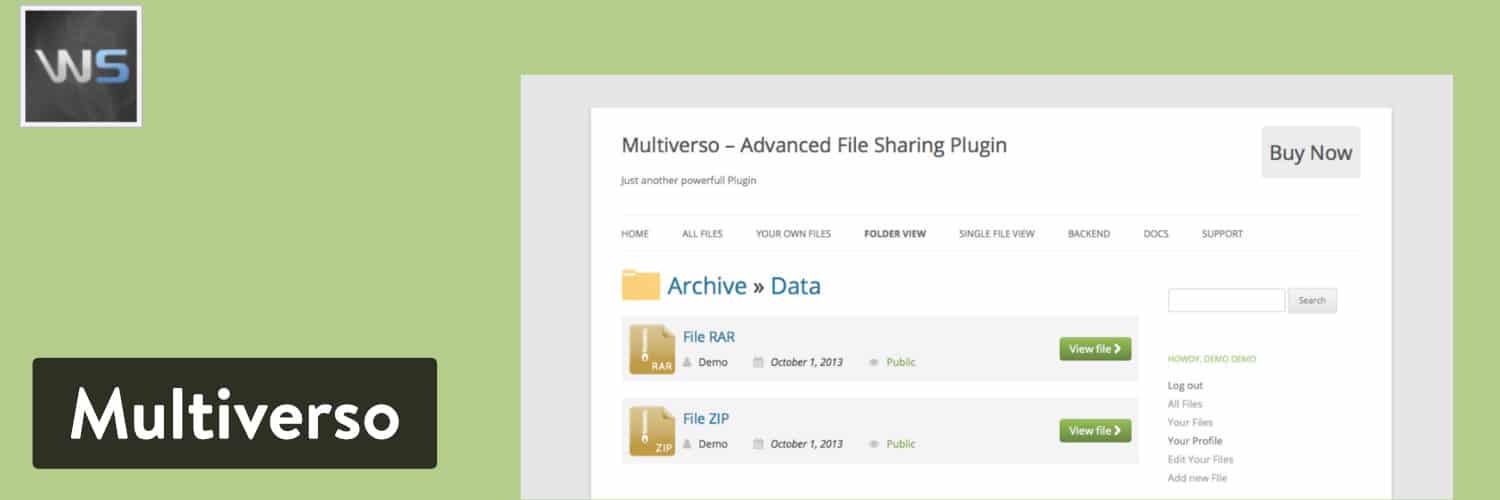
Yous also gain access to vi widgets. These are cracking for calculation Download buttons in places like sidebars and footers.
Some other features to look forward to include the frontend upload feature. With this, you tin can pass command over to your users, revealing upload buttons on the frontend and even some file management tools. The remote upload selection is also useful if you aren't on a computer.
Another reason to consider the Multiverso plugin is because it has options for limiting file upload sizes and access direction. Encryption is a large role of the plugin equally well.
To give an example, you lot may want to ensure that downloads are protected while being downloaded by your customers. Or, mayhap y'all'd like to completely cake downloads for sure files. Regardless, it's usually possible to hack into the transfer of those files. The encryption adds a certain level of security to minimize your worries.
Superlative Features for This WordPress Download Manager
- The Multiverso plugin combines frontend and backend uploading for file and download management by admins and customers alike.
- File uploads and downloads are encrypted for enhanced security.
- You lot take the option to attach a direct link to your file. This way, there's no demand to really upload the file.
- Alter around your admission rules so that only some users tin upload and download files.
- The plugin includes settings for irresolute effectually file upload limits and max file sizes.
- Uploading a file and incorporating a download link for that file is similar to creating a WordPress post.
- Several shortcodes come with the plugin for sharing lists and collections of files.
- Six widgets tin be used for adding Download buttons to your website.
- Advanced features are included for developers to link the plugin with tertiary-party apps and to make their own customizations.
Reviews
4 out of 5 stars (CodeCanyon.net)
Subscribe Now
Agile installations
1,200+
PHP version
Not listed
nine. Lana Downloads Director (Free)
The Lana Downloads Manager plugin is super elementary and gratis. It allows the direction of local files via WP upload and remote files. If you are looking for something basic and lightweight, this works great.
Some of the basic functionality includes a counter arrangement and a log system. These pair well for counting the number of downloads and files in your system. It as well comes in handy for measuring file sizing, just in case yous begin reaching your server limits.

The plugin is set up to go right after you install it on your WordPress site. It works by asking yous to upload digital content to your admin. You lot may choose from the long list of supported files, from audio clips to video and images.
After you lot upload the files it's all organized on one folio. You can name the files and specify whether or non you'd like for users to download them.
All files uploaded to the Lana Downloads Manager plugin go a URL and shortcode assigned to them. This mode, you can either share a link to the download directly to customers or insert that shortcode into whatever page or post of your pick. There'due south even a download counter next to each of the files for you lot to check on the popularity of each item.
Top Features for This WordPress Download Director
- The Lana Downloads Manager plugin is a lightweight download manager that doesn't cause any conflicts with your theme or other plugins. Information technology's also easy to navigate and move your download links to other parts of your website.
- All files are organized into one section on your admin.
- You can use shortcodes to place Download buttons anywhere on your website. As an case, you may consider placing a shortcode in a blog post for people to download an sound file.
- The log system is at that place for yous to look back at the history of uploads and downloads.
- A download count is shown side by side to all files.
- The plugin settings are ready to go without whatsoever changes, making information technology ideal for a simplistic configuration, and for beginners.
- All downloads are named and categorized for easy searching.
- Y'all tin re-create the URL for a download and share it with anyone.
- The plugin provides options for managing and uploading files locally and from remote devices.
- Quite a few other free plugins are provided from the same developer, with options for adding widgets, working on SEO, and improving security. All of these integrate with the Lana Downloads Manager plugin.
Reviews
5 out of 5 stars (WordPress.org)
Active installations
2,000+
PHP version
Not listed
ten. File Manager (Premium)
File Manager has a generic name, but it packs quite a few features into such a small plugin. To brainstorm, File Director sells for $20 on CodeCanyon, making it an affordable option for those interested in a powerful download management solution.
The plugin includes a widget for managing your files from multiple locations. There's too a direct login tool to requite users access to downloads. Public and private folders are options, as well every bit support for files that aren't typically immune on WordPress.
The download counter is worth looking into, and the protected download URL security is certain to ease worries about whether or not digital downloads are fully secure.
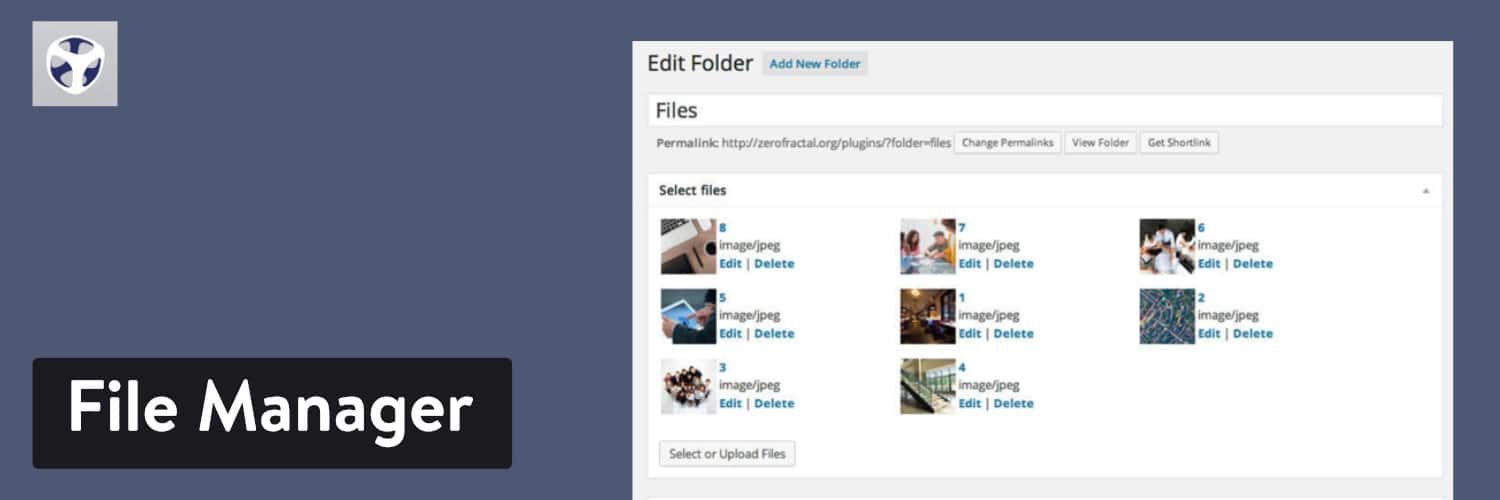
In addition to that, the File Manager plugin provides a drag and drib file uploader, turning the procedure into a simple drag and click movement. Y'all can also control who has access to the files existence downloaded. To give you an idea of how that works, imagine your organization wants internal employees to download media files for clients. Yous patently don't want whatever random person to do this, then it makes sense to set user restrictions.
Some of the other elements to look for include custom icon image links and file type icon support. This adds a more visual feel to your long list of files. Along with that, you take access to a searching and sorting selection where y'all would blazon in a keyword to locate a file within seconds.
Top Features for This WordPress Download Manager
- The File Managing director plugin has download link labels to clean up messy URLs.
- The searching and sorting is groovy for speeding upwards your workflow.
- File icons and custom images are in that location to more hands identify files based on imagery.
- The admin gets to decide on which user types are able to download and view sure files.
- You tin can create and manage subfolders and folders for better organization.
- The plugin has a drag and drop feature so that all you need to do is move a file from your computer to the upload tool online.
- A file director widget is provided for placing download and upload features on other parts of your website.
- Yous get to choose whether you'd like to publish a folder privately or publically.
- Non every file type is supported through WordPress, but the File Manager plugin expands the number of files you can upload to your server.
- The plugin has a download counter to understand how pop your downloads are becoming.
- Choose to create user groups based on which content is being downloaded by which people.
- The plugin is lightweight with a modern interface. Information technology's also easy to larn how to navigate the files and folders.
Reviews
4 out of 5 stars (CodeCanyon.cyberspace)
Agile installations
870+
PHP version
Not listed
eleven. WooCommerce Attach Me! (Premium)
WooCommerce Attach Me! isn't for everyone, but it does serve as a complete file download manager for WooCommerce sites. Not only does it provide a organization for sending download links to customers who purchase items, but it has unique tools for organizing those files and categorizing them into sections prior to download.
A skillful example of this would be adding a PDF file download to a receipt when someone purchases software from your company. This could be a manual, video, or additional photos to give people an idea of how to use the software.
The file downloads are possible for digital and physical products, and your customers even have access to their ain file upload push.
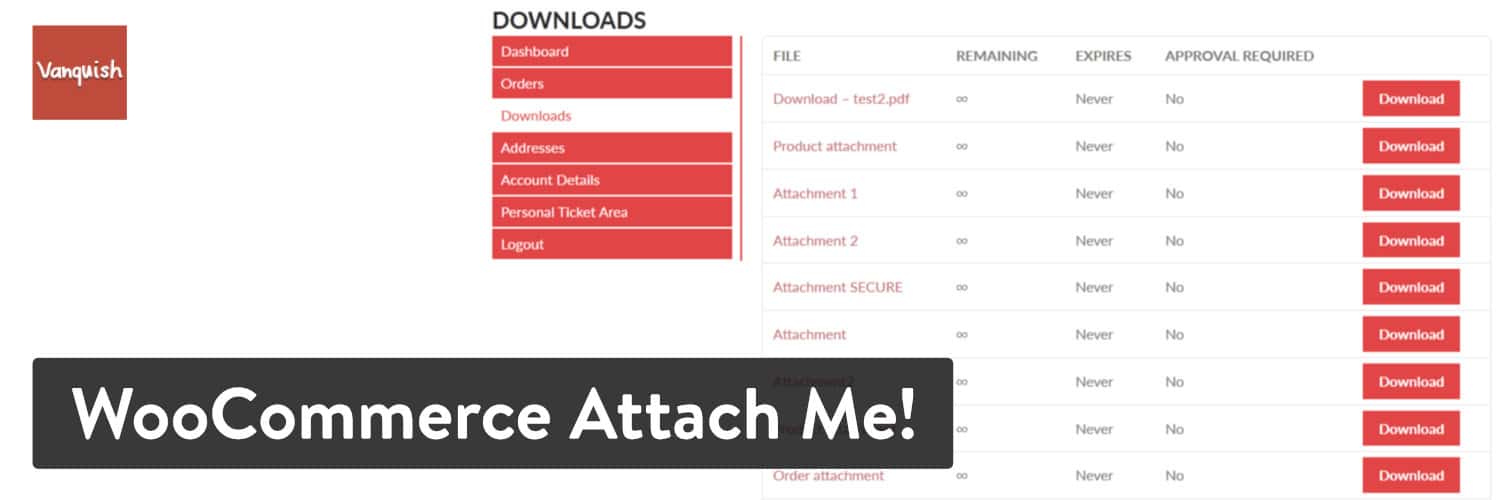
All file links are secured by the plugin and your users only receive the download links after an automated email is sent to them.
Overall, you accept ii methods for organizing and sharing files with users. One of them is to link to the downloads on product pages. In that location's no need to pay for these downloads, as information technology's more of a link beingness added to the page. The other choice is to add the download link to your order emails.
The plugin also has a clean admin module for shifting around the files and identifying which ones are existence downloaded the nigh.
Keep in heed that there isn't a complimentary version of this plugin to download. Having said that, the $22 price tag from CodeCanyon is pretty reasonable.
Pinnacle Features for This WordPress Download Manager
- With this plugin yous can upload zipper files to product pages and society emails.
- The file managing director allows for a wide range of file types such equally PDFs, Word docs, and MP3s.
- A downloads tab is accessible for both admins and customers. This way, a user can become back to see all the downloads they've acquired.
- Automatic emails get sent out for orders, with templates for adding in digital download links.
- Y'all can bulk upload and delete files on your WordPress admin.
- Shortcodes are available for placing download links anywhere on your website.
- The plugin lets you preview the file downloads so that you lot can organize them without opening each i.
- Customers are able to download all of the files from their own accounts on the frontend.
- Add file expiration dates to some of your files.
- All file links are secured so that only the owners of that link can download the files.
- You're able to set it so that your shop automatically attaches certain downloads to orders depending on product variants.
- This serves as an easier fashion to manage supplemental product documentation, instead of trying to link to those items in production descriptions or elsewhere.
Reviews
iv.99 out of 5 stars (CodeCanyon.net)
Active installations
1,100+
PHP version
Non listed
12. File Manager Plugin for WordPress (Premium)
The File Manager Plugin for WordPress is quite powerful and has a bully user interface. The plugin is merely sold on CodeCanyon for $19, making it yet another inexpensive pick for managing your downloadable files on a WordPress site.
A few elements stand out for the File Manager Plugin, including the fact that all uploads are completed using a drag and drop system. This speeds up the process and ensures that all skill levels can utilize the tool.
In that location'southward also frontend access, which is important if you program on letting customers or employees upload their own files or download the files the admin has provided.
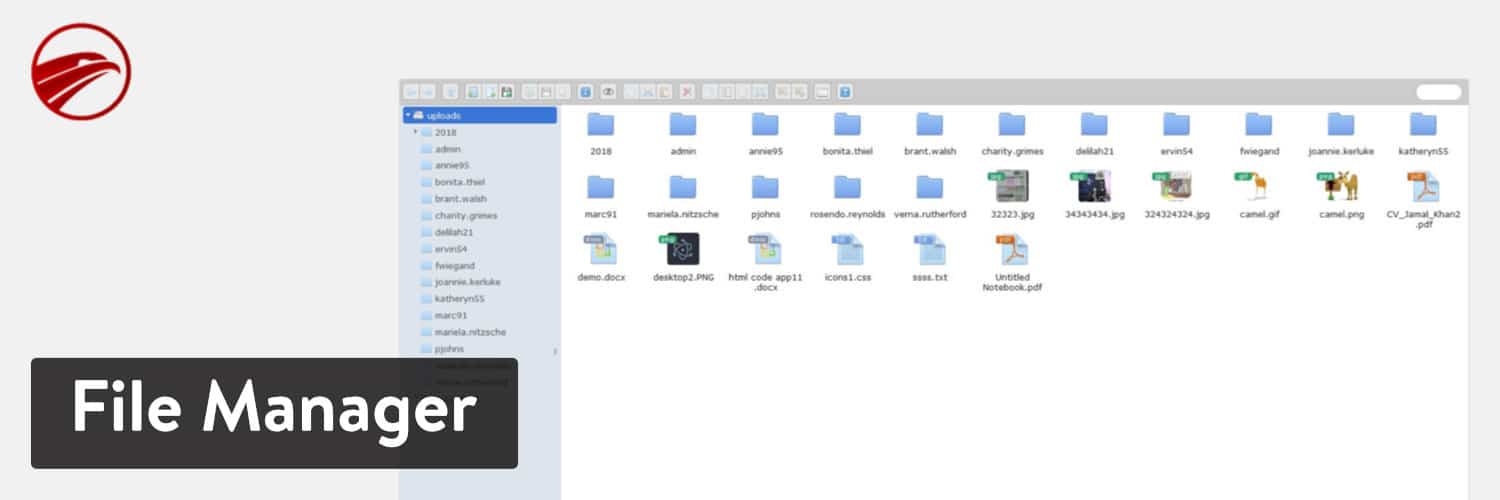
Multiple themes come up with your buy of the File Manager Plugin for WordPress plugin. Although this isn't essential for an effective download director, it expands on the reality that sometimes colors and push locations make or interruption whether or non people are willing to use an interface.
With this plugin, you're able to customize the platform so that you're entirely comfortable with the way information technology looks.
Folder sharing is possible through the plugin, forth with quick tools for uploading larger files and folders. Some of the more unique features include the built-in text and image editor, both of which replace the need for third-party tools that would complete the same tasks.
It's too worth mentioning that a PSD/PDF editor is provided, expanding fifty-fifty more than upon the number of tools that enable you lot to edit or view the files without having to access them through an FTP connection or on your local computer.
Top Features for This WordPress Download Manager
- Epitome and document editing is provided for changing files inside the plugin. These are rather advanced editors. For example, the image editor is based on Photoshop, making for a beautiful experience without the bodily demand for Photoshop.
- You tin adjust user access past identifying which of your users should be able to look at and download certain folders.
- Paradigm thumbnails appear when searching for files in the plugin.
- The plugin has a shortcode generator so you tin offer frontend admission to your file download features.
- Multiple themes assist in making the download and file areas easier to navigate. If anything, they allow users to feel comfortable with the interface and customize it to their ain desires.
- Email notifications get sent out when someone downloads a file. These are sent to both admins and the users downloading.
- The Google Docs viewer is great for linking to your docs stored in that system.
- The plugin provides tools for creating user groups and sharing specific files in those groups. For instance, you may need to share a contract with a few employees and only those employees.
- The automatic folder cosmos cuts down on time needed to generate brand new files.
- You lot're able to ban access if unauthorized users attempt to download files or if you cease up parting means with an associate who used to have admission.
- The majority of file types reveal thumbnail images to add together some visuals and make file identification faster.
Reviews
4.five out of 5 stars (CodeCanyon.net)
Active installations
3,500+
PHP version
Not listed
xiii. Groups File Access WordPress Plugin (Premium)
The Groups File Admission WordPress plugin provides file download links only for authorized users. All other access to files is restricted, depending on the user'south group membership.
Many of the other WordPress download manager options on this listing accept this functionality, but this one focuses far more than on restricting content and protecting the files on your website. That's why we recommend Groups File Access over alternatives if security is a top priority for you.
There's no complimentary plugin, but you can get the premium version of Groups File Access for $29 on CodeCanyon.

After installing this plugin, your WordPress site turns into a hub for generating exclusive groups where you lot share files and connect simply with the people of your choosing.
Videos, documents, and images are all supported, with brake settings ready to configure on each of them. In addition, the plugin has embedded protected streaming so no 1 steals your content.
The multisite back up is an intriguing feature, considering you lot may have to share files on a network of multiple WordPress sites. Nosotros also enjoy that the Groups File Access plugin includes a beautiful file management area to move around folders, delete some, and add together more.
Imports are even so completed via FTP, but information technology is worth noting that bulk imports are allowed.
Acme Features for This WordPress Download Managing director
- The plugin lets you lot restrict access to downloads to authorized user groups. This means that you'll have to prepare the restrictions every time you make files available to the public.
- Choose to limit the number of downloads per user. You have the opportunity to set unlimited downloads as well, but this is a nice feature if you don't want users to download the files over and over.
- The plugin supports full WordPress multisite file sharing, tapping into several WordPress sites and then that all of them get to upload and download files to the plugin.
- The file management area is consolidated into one module in WordPress. It's modernistic enough and fairly basic for all users to empathize.
- You can upload files via FTP and bulk import if yous plan on carrying large collections of files on your servers.
- The plugin improves upon WordPress file security by adding file access restrictions and user authorizations.
- Automated notifications are sent out if someone is given admission to a group of files. These notifications go out for other things like when a download is completed.
- The flexible shortcodes get generated automatically and are typically used for providing a frontend download area and file admission heart.
- All streaming media presented on your website is protected with the assistance of embedded protection support.
- All media types supported by WordPress are as well allowed when being uploaded and managed through this plugin.
- You lot accept the option to scan for files on your computer prior to deciding on which of your files y'all would similar to bulk import to your server.
Reviews
4.3 out of 5 stars (CodeCanyon.cyberspace)
Active installations
i,400+
PHP version
Not listed
14. WP File Download (Premium)
The WP File Download plugin is a premium extension just, merely it's of import to note that this plugin is actively updated every month. If you're looking for a plugin with solid developer back up, this is 1 you lot should consider. Information technology'due south also bachelor in different languages.
The pricing starts at $29 for the plugin. This gets you six months of premium support, with options to upgrade every six months. Y'all'll also notice a few other pricing plans if you'd like support for more addons and site licenses.
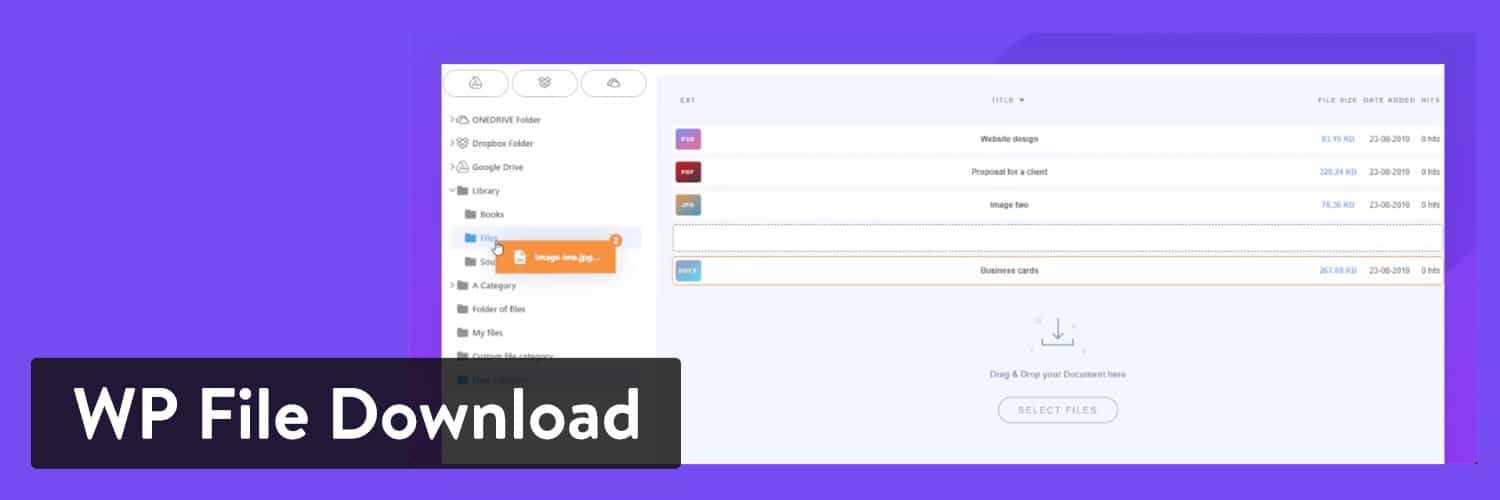
Iv themes are packaged into the plugin, opening up your creativity and letting you take a chip of a say as to how the organisation looks. The file director is powerful nevertheless unproblematic to understand, with elevate and driblet functionality, cute thumbnails, and a clean interface that most people should be able to grasp.
You can limit file download access and change who is fifty-fifty able to see the files on your website.
Yous may take likewise noticed that the majority of the download managers on this listing don't have any Gutenberg functionality. That doesn't mean they will break the Gutenberg system, only rather that they don't accept whatever drag and driblet tools that integrate. That'southward not the example with the WP File Download plugin. It provides two dedicated blocks for loading WordPress files on the frontend.
It's also nice to know that the plugin integrates with pop file storage services like Google Bulldoze and Dropbox.
Meridian Features for This WordPress Download Manager
- The plugin has i of the sleekest file arrangement modules, incorporating thumbnail visuals, bright colors, and drag and drop functionality. It looks similar to well-nigh Apple software.
- You can upload equally many files as yous want, and it doesn't matter what type of file is being added.
- Ascertain which users are able to download the files you provide. You tin give access to entire folders or only decide to assign individual files to sure people.
- The plugin offers two Gutenberg modules and so that your Download buttons are easily placed anywhere on your website. This completely removes the need for widgets and shortcodes, and it'due south a feature that about of the competition lacks.
- Link your website to cloud file storage and sharing services like Google Drive and OneDrive. Dropbox is also a possibility.
- The color and customization settings appear to be more than advanced than the competition. Utilise these settings to match the plugin design to your theme. You can even make it and so that the upload and download module looks branded just for your company.
- The file search engine introduces a broad variety of powerful search tools. Some of them include full-text searching, category filtering, and file ordering based on date or file blazon. There's also tag filtering, file previews, and the ability to become compatible with the native WordPress search bar.
- Email notifications go sent out for several tasks including new file uploads and file removals. You get to determine which emails are sent to users and which of them are reserved for admins.
- File updating and versioning are done with the click of a button.
- The download manager stats provide both simple and circuitous graphs to understand how well your downloads are performing and if anything needs to be changed in the future.
- You can preview all files while browsing through the directories. There'southward also an choice for remote file downloads while on the get.
Reviews
Not listed
Active installations
Not listed
PHP version
Non listed
15. Utilise-your-Bulldoze (Premium)
Although the name doesn't make it sound like a WordPress download managing director, that's exactly what the Utilise-your-Drive plugin does. In fact, the plugin provides a rather unique adequacy that is occasionally found in other plugins, but not perfected.
The Use-your-Drive plugin links your WordPress website to your Google Drive account. With this link, you lot're able to upload all types of files to your Google Drive and brandish them on your site or offer Download buttons.
Imagine your business sells software. Your production evolution team is constantly sharing pictures, documents, and even audio files. Instead of going into a third-political party tool, the Use-your-Drive plugin directs those team members to the WordPress site. They can view and edit all the files they're given access to.
What's cracking is that these files are being pulled from Google Bulldoze, so you too have a wonderful location to manage and upload those files.
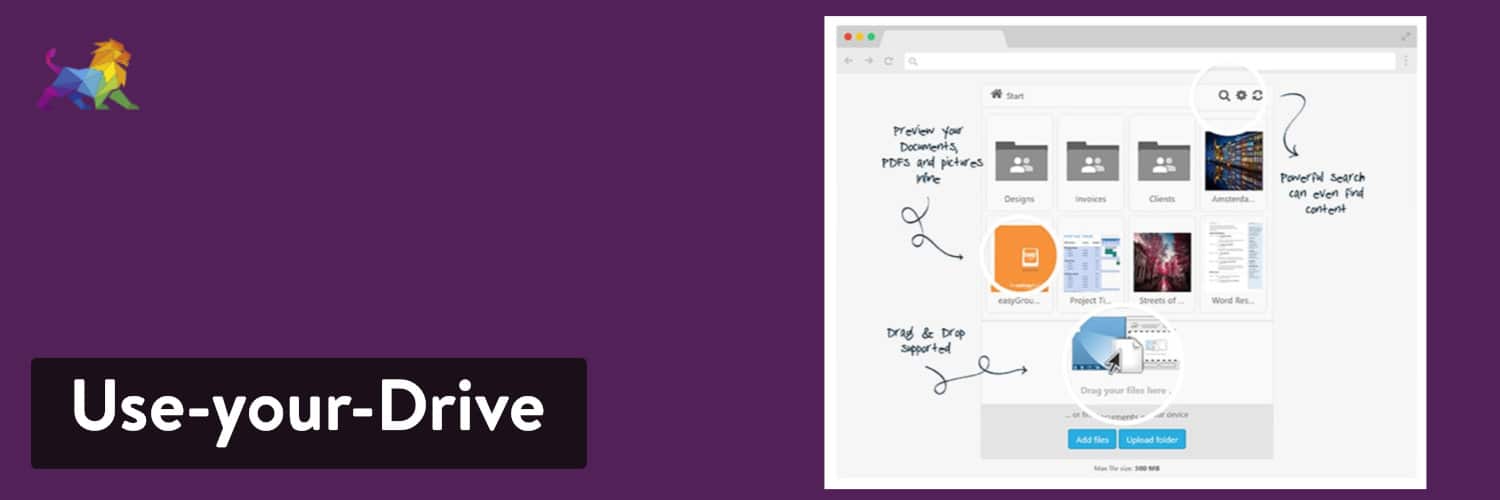
Uploading is done through Google Drive or WordPress. The user can preview documents and images online, while also utilizing the powerful search tool to locate the correct folders. Unique features are included for presenting photos in galleries or presenting thumbnails for all folders.
All of your content tin be streamed from the website as well. So, if you'd like to have a gallery or a listing of videos, just link your Google Drive account to the folders with those videos.
Overall, the Employ-your-Drive plugin does exactly the same things equally the other download managers on this list. The chief deviation is that all files are stored in Google Drive. Therefore, if you lot already employ the gratuitous version, or pay for the premium version of Google Bulldoze, this plugin makes sense for your download management.
Top Features for This WordPress Download Director
- The plugin features an organized admin panel for linking to Google Drive in one click and managing your files.
- The reports panel has history logs and graphs to check in on downloads.
- You lot can list your documents, images, and videos on the frontend of your website.
- Choose to share certain folders with specific groups or individuals.
- Create shared links so that your files are secured, yet you tin continue distributing the files to the right people.
- The plugin has options for previewing or streaming content online.
- The file searching is washed with the assist of filters and a powerful search bar.
- The plugin includes a shortcode builder to present some of your downloadable files elsewhere on your website.
- You can upload direct to the Google Bulldoze cloud from the convenience of your WordPress dashboard.
Reviews
5 out of 5 stars (CodeCanyon.internet)
Active installations
6,100+
Gutenberg uniform?
No
PHP version
Not listed
Choosing the Correct WordPress Download Manager Plugin
Depending on your specific needs, there's pretty much a WordPress download manager plugin for every scenario. With capabilities like group collaboration, download tracking, and fifty-fifty simple file organization, you can be sure that you'll find the file management plugin that is correct for you.
Ane affair to keep in mind is that download managers come up and go. At that place'due south no clear winner as we become through this unabridged list. Some of them take been around longer than others, merely it's not uncommon for well-established download managers to disappear or lose development support after awhile.
Therefore, we suggest yous cull the ones that make the most sense for your visitor and test those out until you find a perfect match. Hopefully, this listing of WordPress download director plugins helps yous narrow downwards your search.
Did we miss any important WordPress download director plugins? If and so, let us know below in the comments. Also, share your thoughts if you've tested any of these plugins and would recommend them or not to other users.
Save time, costs and maximize site performance with:
- Instant help from WordPress hosting experts, 24/7.
- Cloudflare Enterprise integration.
- Global audience accomplish with 29 data centers worldwide.
- Optimization with our built-in Application Performance Monitoring.
All of that and much more than, in 1 program with no long-term contracts, assisted migrations, and a thirty-twenty-four hour period-coin-back-guarantee. Bank check out our plans or talk to sales to notice the plan that's right for you.
DOWNLOAD HERE
Posted by: parkeralithe88.blogspot.com
Post a Comment